 Stratos House
You need a digital brain.One folder your AI reads first.
One folder of plain notes your AI reads first, every time. You see it in Obsidian: every dot is a note, every line is a connection. Paste the prompt into your AI, answer about 10 questions, and it builds the brain for you.
To send this to your AI, open it as text, copy all of it, and paste it into Claude, ChatGPT or Grok.
What you get
- The BRAIN prompt: about 10 questions on how you will use it and what goes in it, then your AI builds the brain.
- Obsidian setup in three steps, with screenshots, and how to use it every day.
- Search by meaning: when you need RAG and vector search, and how we run ours.
- Community plugins worth exploring, starting with ours for Granola.
- A starter vault to explore first.
What a digital brain is
Your AI forgets you every time you open a new chat. A digital brain fixes that: one folder of plain notes it reads first, every session.
- One folder, plain text. Markdown files on your own computer. Nothing locks you in.
- One onboarding file.
AGENTS.mdtells every AI who you are, what good looks like, your rules and where things live. It is an open convention that coding agents read automatically. - Obsidian is the window. It opens the folder, shows every note and every link, and draws the whole brain as a graph.
- Your calls feed it. Meeting notes land in an inbox folder, and your AI turns them into decisions and action items.
- Any AI can use it. Claude, ChatGPT, Grok, Codex or Cursor.
Open it in Obsidian
Obsidian is a free app that opens a folder of markdown files as a vault. Your notes stay plain files, so your AI reads and writes the same folder you do.
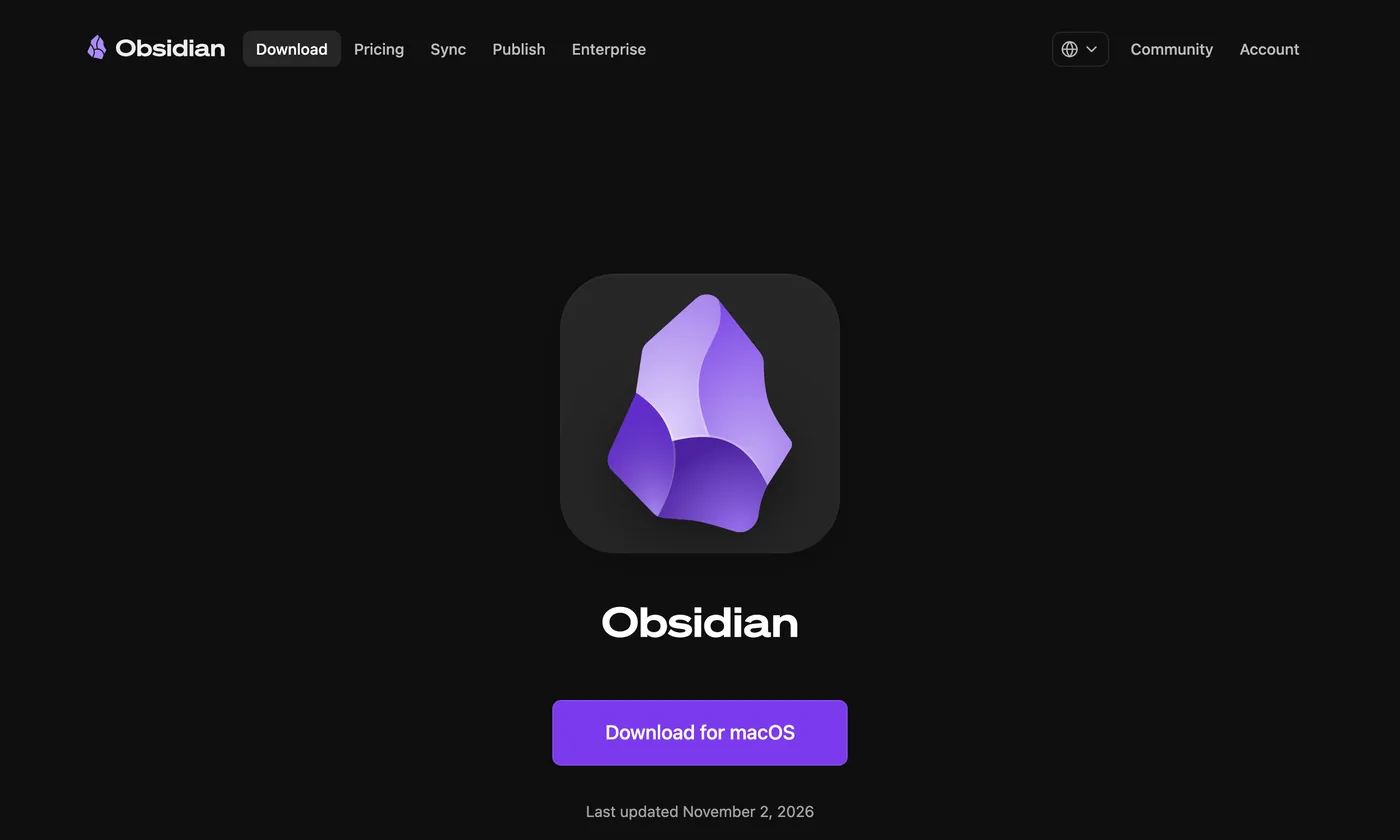
- Download it from obsidian.md/download. On a Mac, open the file and drag Obsidian into Applications. On Windows, run the installer.
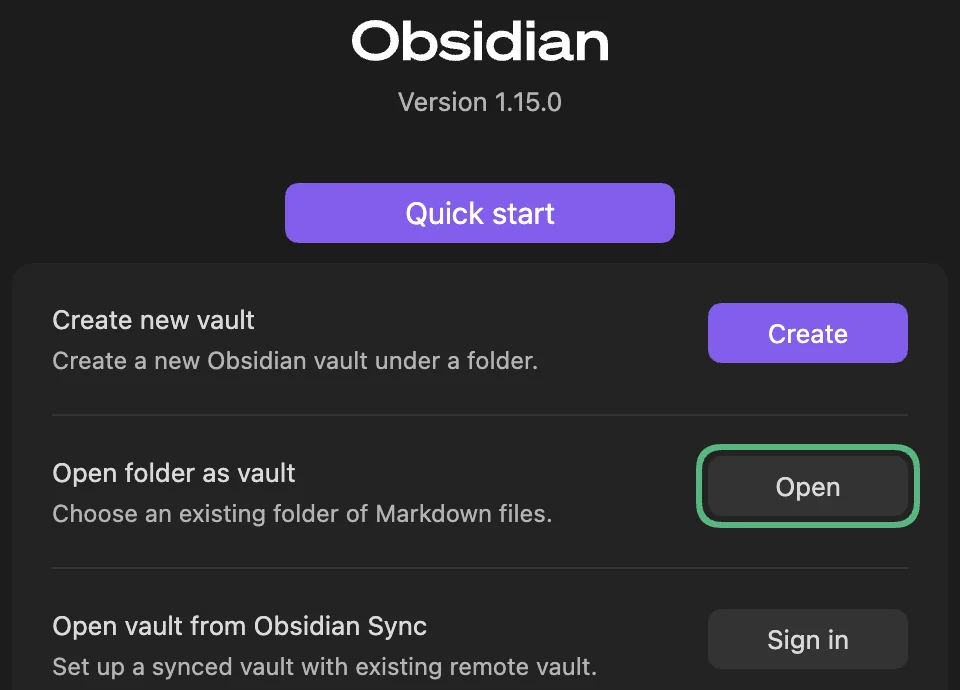
- Open Obsidian. The first screen asks you to add a vault.
- Next to "Open folder as vault", click Open, choose your brain folder, and click Open. No brain yet? Run the BRAIN prompt first, or use the starter vault further down.
Use it every day
Your AI does most of the writing. Obsidian is where you look, link and check.
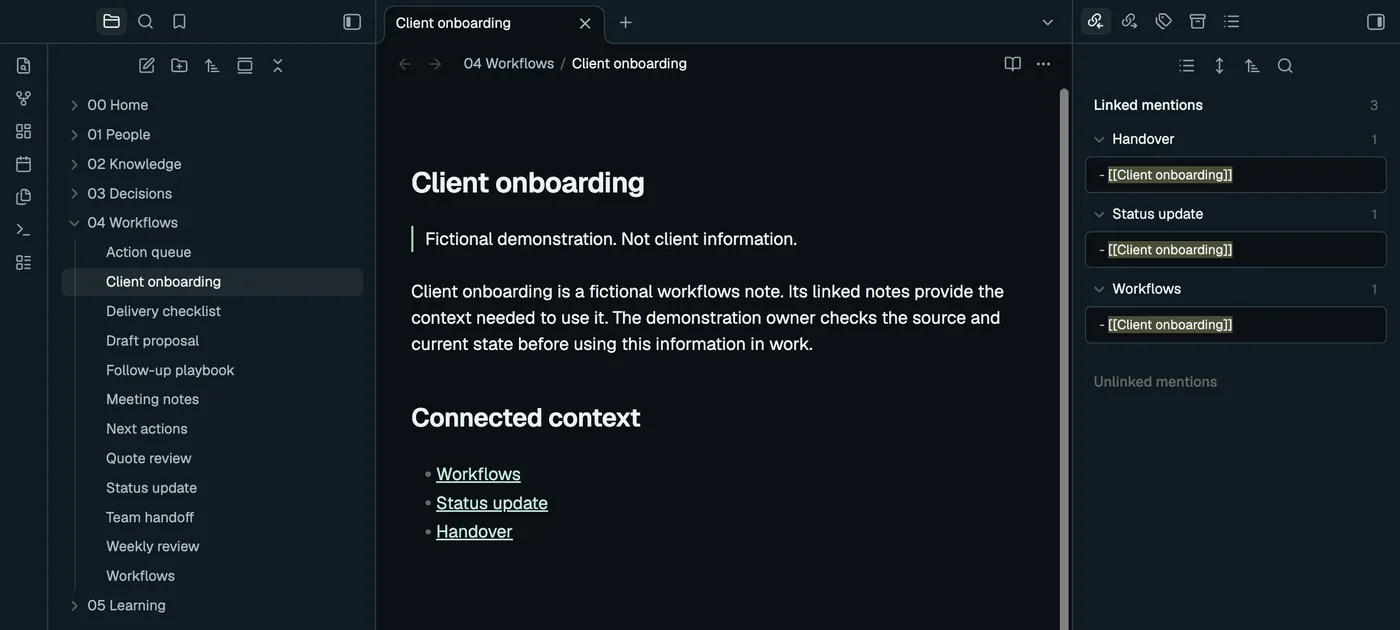
- Find a note fast. Press Cmd+O on a Mac or Ctrl+O on Windows to open the Quick switcher, then type part of its name.
- Link notes. Type two square brackets,
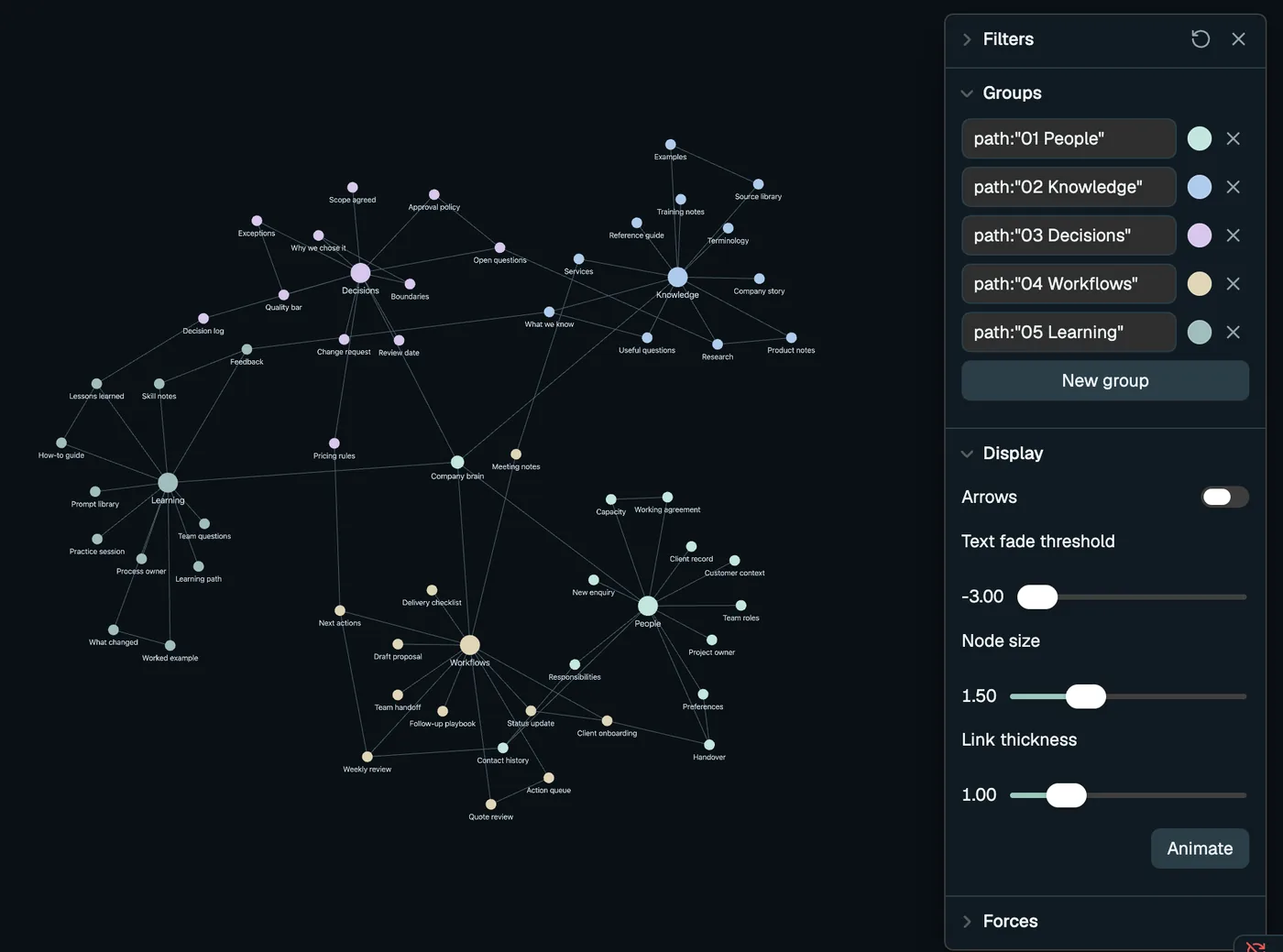
[[, and pick a note. Each link becomes a line in the graph, and the Backlinks panel shows every note that points back. - See the whole brain. Open the graph view from the ribbon on the left. Every dot is a note and every line is a link. The more notes link to one, the bigger its dot.
- Colour it by folder. In the graph settings, under Groups, click New group and type
path:Projects. One colour per folder, so you can see what lives where. - Watch it grow. Under Display, press Animate. Notes appear in the order they were created.
- New notes go to inbox/. Settings, then Files and links, then Default location for new notes: choose In the folder specified below and pick
inbox. Calls land ininbox/calls/, and your AI files them when you say "Process inbox/calls."
The questions
Your AI asks about 10 questions, one at a time. The first five are about how you will use the brain, so it builds the right setup. The rest are what goes in it. Say "skip" to anything and it leaves a placeholder.
| Question | |
|---|---|
| 1. Your AIs | Which AIs do you use, and can any of them read and write files on your computer? |
| 2. Obsidian | Do you want to see and link your notes in Obsidian, use another editor, or leave it to your AI? |
| 3. Devices and backup | Just this computer, or your phone too? How do you want it backed up? |
| 4. Calls | How do your meeting notes arrive today: Granola, another meeting tool, typed by hand, or not yet? |
| 5. What you already have | Docs, email, code, old notes or transcripts, and roughly how much of it? |
| 6. Outcome | In one sentence, what should your AI help you with in the next 90 days, and what does a good result look like? |
| 7. You | What do you do, what is the company called, who do you serve, and who is not a fit? |
| 8. Agent jobs | Up to five jobs you want agents to do, one sentence each, on demand or on a schedule. |
| 9. Taste and voice | How should your AI write for you? Words it must use, words it must never use. |
| 10. Rules and precedents | Hard rules it must never break, and two precedents: "When X happens, we do Y." |
What it builds
After the questions, your AI creates this and fills each file from your answers. It links the notes to each other, so they show up connected in Obsidian.
digital-brain/
  AGENTS.md            the file every agent reads first
  CLAUDE.md            the same rules, short, for Claude Code
  About/
    who-i-am.md
    audience.md
    taste-and-voice.md
  Ops/
    precedents.md
    rules.md
    agent-jobs.md
  Projects/
    _index.md          one stub per active project
  inbox/               new notes land here first
    calls/             meeting notes
    links/             links to read later
  templates/
    call-note.md
call-actions.md- About/ is who you are, who you serve, and how you write.
- Ops/ is your rules, your precedents ("when X happens, we do Y") and your agents' jobs.
- Projects/ gets one folder per active project, each with a short state note.
- inbox/ is where new things land before they are filed.
Turn calls into action items
The brain gets smarter every time you talk to someone. This is the recipe your AI writes into AGENTS.md:
- After each call, the notes land in
inbox/calls/, named with the date and a title. - Tell your AI: "Process inbox/calls."
- It summarizes the decisions, writes action items with an owner and a due date, files the note under the right project, and lists anything that needs your yes.
Any meeting tool works: export or copy the notes into the folder. On Granola's Business plan, our free plugin brings notes and full transcripts in for you (see Community plugins below).
Search by meaning
At first your AI can simply read the files. When the brain gets big, add retrieval: the AI finds the few notes that matter, then answers from them with sources. That is RAG, retrieval-augmented generation.
- Start without it. Anthropic's guidance: a knowledge base under about 200,000 tokens (about 500 pages) can go straight into the prompt, no RAG needed. Read it.
- Keyword search finds words. Obsidian's search and your AI's file search find the exact terms you type.
- Vector search finds meaning. Each note is split into chunks and turned into an embedding, a list of numbers that captures what it means. Your question becomes one too, and the closest chunks come back, even with none of the same words.
- Use both. Hybrid search runs keyword and vector search together and merges the results, so exact names and loose ideas both land.
- Your notes stay the source. The index is a copy. Delete it and rebuild it any time, and never let it become the only place something lives.
Two ways to add it
- Inside Obsidian: the Smart Connections community plugin uses a local embedding model to show notes related to the one you are writing.
- For every AI you use: a local index your AIs query through MCP, the Model Context Protocol, so Claude Code, Codex or Cursor can all search the same brain.
How we run ours: a local Postgres database with pgvector, a small embedding model that runs on the laptop, keyword, meaning and recency searched together and merged into one ranking, and served to our AIs over MCP. The full write-up is free on GitHub: the unified retrieval pattern.
Explore community plugins
Community plugins add features to Obsidian. They are made by independent developers, ours included.
- Open Settings, then Community plugins.
- Turn on community plugins. This switches off Restricted mode.
- Click Browse, search for a plugin, then Install and Enable. You can also browse in your web browser at community.obsidian.md.
Start with ours: Granola API Sync
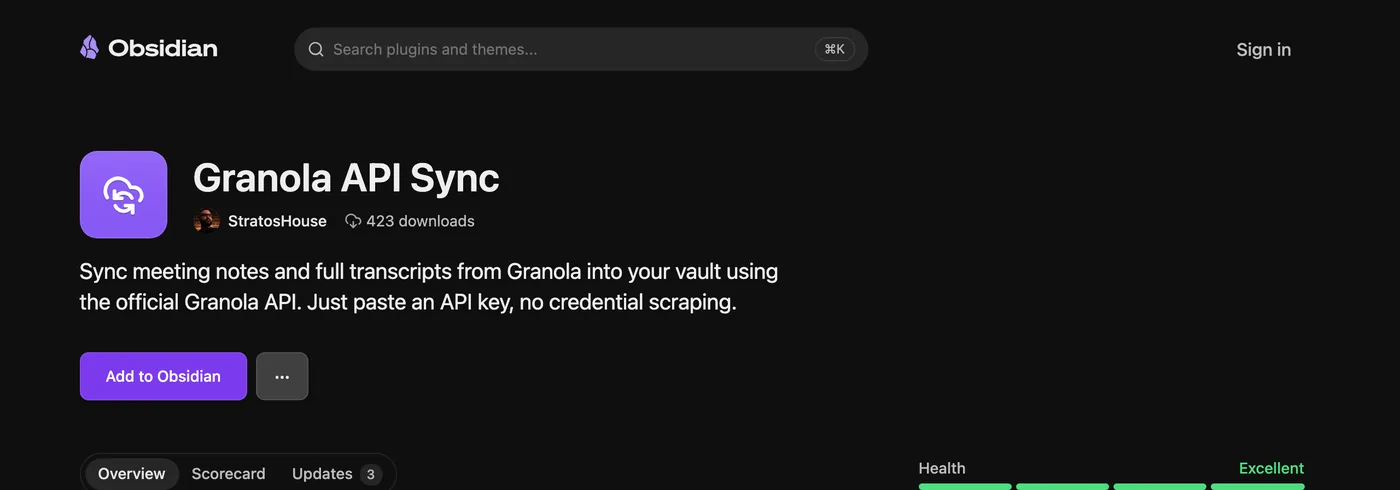
It syncs your Granola meeting notes and full transcripts into your vault through Granola's official API. You paste an API key and your meetings appear as notes, each linked to its transcript. API keys need a Granola Business or Enterprise plan. See it in the directory or read the code on GitHub.
Also in my vault
Git (the vault as a repository, with history), Templater (note templates), Dataview (query your notes like a table), Calendar, Kanban, Excalidraw (sketches), Extended Graph (more graph options) and Claudian (Claude Code inside Obsidian). Search any of them by name in Browse.
Plugins run code on your computer. Obsidian scans every plugin version and shows a scorecard on its directory page, but it cannot limit what a plugin can access. Turn on only plugins you trust. Obsidian on plugin security.
Your first 10 minutes
- Press Send to your agent, paste it into your AI, and say "Run BRAIN."
- Answer the questions.
- Open the new folder in Obsidian and look at the graph view.
- Ask your AI one real question about your work.
- Process the EXAMPLE call note it made, to see the recipe work. Then drop your next real call into
inbox/calls/.
Keep secrets out. No passwords, keys or other people's private data in the brain. It is plain text, and any AI you point at it reads everything.
See one first
Want to explore a finished brain before you build yours? Install Obsidian, download the starter vault, unzip it, and choose Open folder as vault. It holds 61 fictional notes, linked across people, knowledge, decisions, workflows and learning. Open the graph view to see how they connect.
Open the ZIP on a computer. If your phone's in-app browser will not save it, use its menu to open this page in your usual browser. Every note in the starter vault is fictional.
Let your AI build it
This is the whole prompt Send to your agent copies. A plain-text version is there too, for apps that do not like Markdown.
# BRAIN: build your digital brain

Paste this whole file into your AI agent (Claude Code, Codex, Cursor, ChatGPT or Grok), then say: "Run BRAIN."

## Your job
Set up a digital brain for me: one folder of plain markdown notes that every AI I use reads first, and that I can browse and link in Obsidian. Interview me with the questionnaire below, then build it to fit my answers.

## Rules
- Ask one question at a time and wait for my answer. Offer the options listed. Short answers are fine.
- Never invent facts about me. If I skip a question, write [TO FILL].
- Never ask for passwords, API keys, legal secrets or other people's private data.
- Plain markdown files on my own computer. Nothing paid is required. If you suggest something paid, say so.
- Label any example content EXAMPLE, with fake names only.
- If you cannot write files, give me each file to copy, one at a time.

## Part 1: how I will use it
1. Your AIs. Which AIs do I use, and can any of them read and write files on my computer? Coding agents (Claude Code, Codex, Cursor) can. Browser chats (ChatGPT, Claude, Grok) need me to upload or paste.
2. Obsidian. Options: (A) Obsidian, free, recommended, to see and link my notes; (B) another markdown editor; (C) no editor, my AI handles the files.
3. Devices and backup. Options: (A) this computer only; (B) Obsidian Sync, Obsidian's paid service, for phone and computer; (C) a private git repository, for history and backup; (D) a cloud folder I already use.
4. Calls. Options: (A) Granola on a Business or Enterprise plan, where the Granola API Sync community plugin can bring notes and transcripts in; (B) another meeting tool, exported into inbox/calls; (C) I type my own notes; (D) skip calls for now.
5. What I already have. Docs (Notion, Google Docs, Drive), email or support threads (describe them, never paste secrets), code, existing notes, transcripts, or nothing yet. Ask roughly how much: a few dozen notes, hundreds, or thousands.

## Part 2: what goes in it
6. Outcome. In one sentence, what should your AI help you with in the next 90 days, and what does a good result look like?
7. You. What do you do, what is the company called, who do you serve, and who is not a fit?
8. Agent jobs. Up to five jobs you want agents to do, one sentence each, on demand or on a schedule.
9. Taste and voice. How should your AI write for you? Words it must use, words it must never use.
10. Rules and precedents. Hard rules it must never break, and two precedents: "When X happens, we do Y."

## Build the brain
Create this tree in a folder I name (default: digital-brain/):

```
digital-brain/
  AGENTS.md            the file every agent reads first
  CLAUDE.md            the same rules, short, for Claude Code
  About/
    who-i-am.md
    audience.md
    taste-and-voice.md
  Ops/
    precedents.md
    rules.md
    agent-jobs.md
  Projects/
    _index.md          one stub per active project
  inbox/               new notes land here first
    calls/             meeting notes
    links/             links to read later
  templates/
    call-note.md
    call-actions.md
```

- AGENTS.md: who I am (7), what good looks like (6), my agent jobs (8), my rules and an "always ask me first" list (10), my voice (9), where calls land and how to process them (4, 5), and "Read the state of any active project before acting. If something is missing, ask instead of guessing."
- CLAUDE.md: a short copy of the same rules, for Claude Code.
- Link related notes with [[wikilinks]]. AGENTS.md links to every file it mentions, and each file in About/ and Ops/ links back to AGENTS.md. Obsidian draws each link as a line in its graph view.
- New notes go to inbox/ first. They get filed during review.

## The call ingest recipe (write it into AGENTS.md)
1. After each call, the notes land in inbox/calls/YYYY-MM-DD-title.md.
2. I say: "Process inbox/calls."
3. You summarize the decisions, write action items with an owner and a due date using templates/call-actions.md, move the note to Projects/<name>/calls/ or Ops/calls/, link it to the project, and list anything that needs my yes.

## If I chose Obsidian (question 2)
Give me these steps, from Obsidian's own help:
1. Download Obsidian from https://obsidian.md/download, install it and open it.
2. Next to "Open folder as vault", click Open, choose the brain folder, and click Open.
3. Settings, then Files and links, then "Default location for new notes": choose "In the folder specified below" and pick inbox.
4. Open the graph view from the ribbon on the left. In its settings, under Groups, click New group and add path:About, path:Ops, path:Projects and path:inbox, each with its own colour.
5. Optional plugins: Settings, then Community plugins, then "Turn on community plugins", then Browse. Suggest only what fits my answers: Granola API Sync (if I chose 4A), Git (if I chose 3C), Smart Connections (if I want related notes by meaning inside Obsidian). Remind me that plugins run code on my computer, so I should read each plugin's page first.

## Backup (question 3)
- 3C, git: make the folder a git repository with a private remote. Add a .gitignore for .obsidian/workspace.json and .trash/. Never commit keys.
- 3B or 3D: tell me to keep only one sync method on the same folder.

## Search by meaning (question 5)
- A few dozen to a few hundred notes: no retrieval needed yet. Read AGENTS.md, then open files by name or search them. Anthropic's guidance is that a knowledge base under about 200,000 tokens (about 500 pages) can go straight into the prompt.
- Thousands of notes or years of transcripts: explain retrieval (RAG) in two lines, then offer two options and build neither until I say yes: (A) the Smart Connections plugin inside Obsidian; (B) a local index my AIs can query over MCP: notes split into chunks, embedded with a small local model, stored in a vector database such as Postgres with pgvector, searched by keyword and by meaning together, with answers that cite the note. The notes stay the source of truth. The index can be deleted and rebuilt.

## Finish
1. Print the file tree you created.
2. Give me a "first 10 minutes" checklist: open the folder in Obsidian and look at the graph view, ask my AI one real question about my work, and process one EXAMPLE call note (fake names) so I can see the recipe work.
3. Remind me to keep passwords, keys and other people's private data out of the brain.

Start now with question 1.Before you start.What it costs, and what it will not do.
What it costs
Free. Plain files on your own computer, and Obsidian is free. Extras like Obsidian Sync or a Granola Business plan cost money and are optional.
What you need
Any AI chat, a computer if you want it to write the files for you, and Obsidian if you want to see them.
Honest limits
The brain is only as good as what you put in it. Search by meaning finds likely notes, not guaranteed answers, so ask for sources. Keep secrets out.

See how we build a brain around a business.
At Stratos House we build digital brains that run on a company's real knowledge, with agents that use it every day.
Explore the digital brainSend to your agent
Copies the setup prompt. Paste it into Claude, ChatGPT or Grok.